
Setting Up Time Zone
This setting in The Customer Factor is important. It controls the correct times that emails and text messages were sent, and it allows you to see the correct clock-in/out time and job time in/out information that displays on the daily calendar. Plus, the login history time is controlled by your time zone.
So...to set up the Time Zone, go to the "My Account" tab at top left and click on "General Set up". Scroll down and you will find the Time Zone dropdown in the "Miscellaneous" area as shown below.
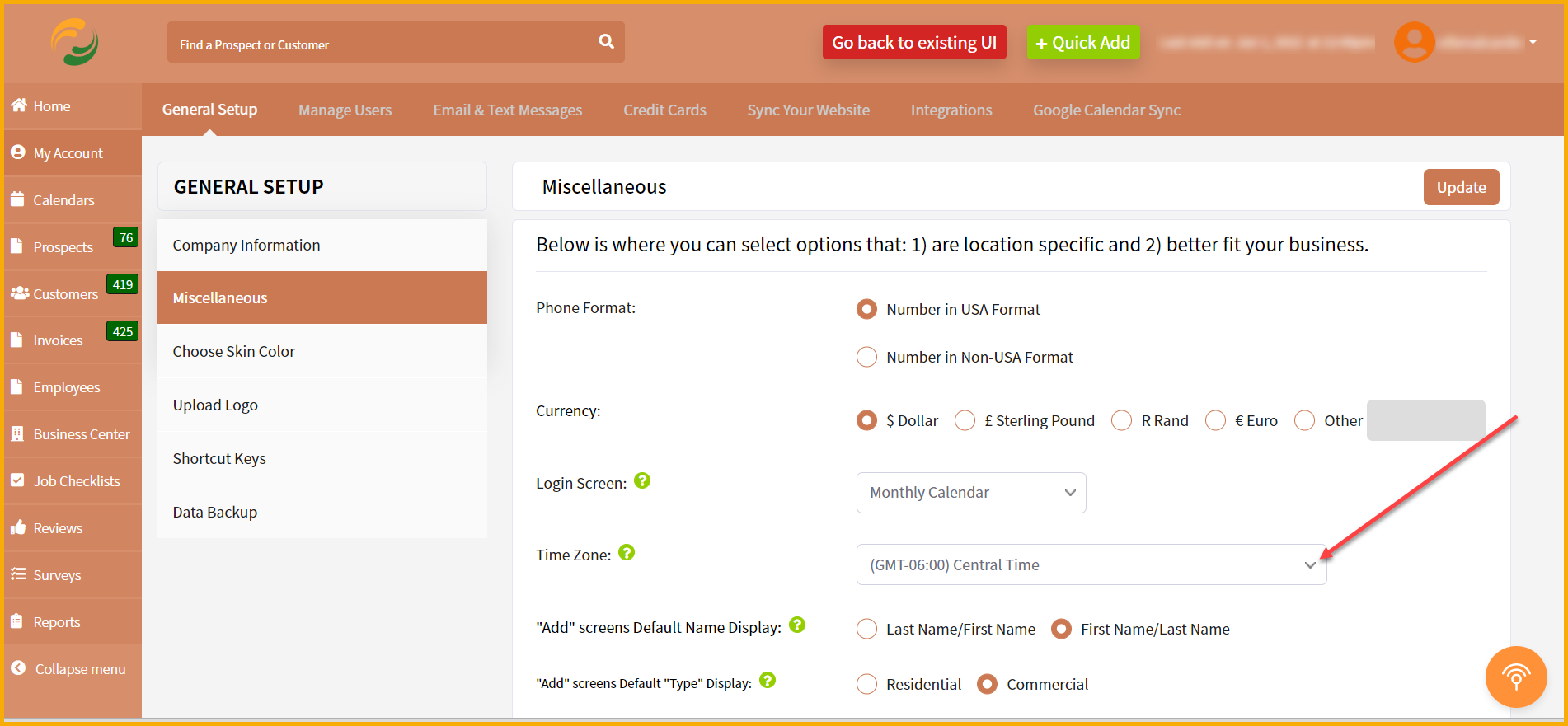
Click on the dropdown to choose your time zone.
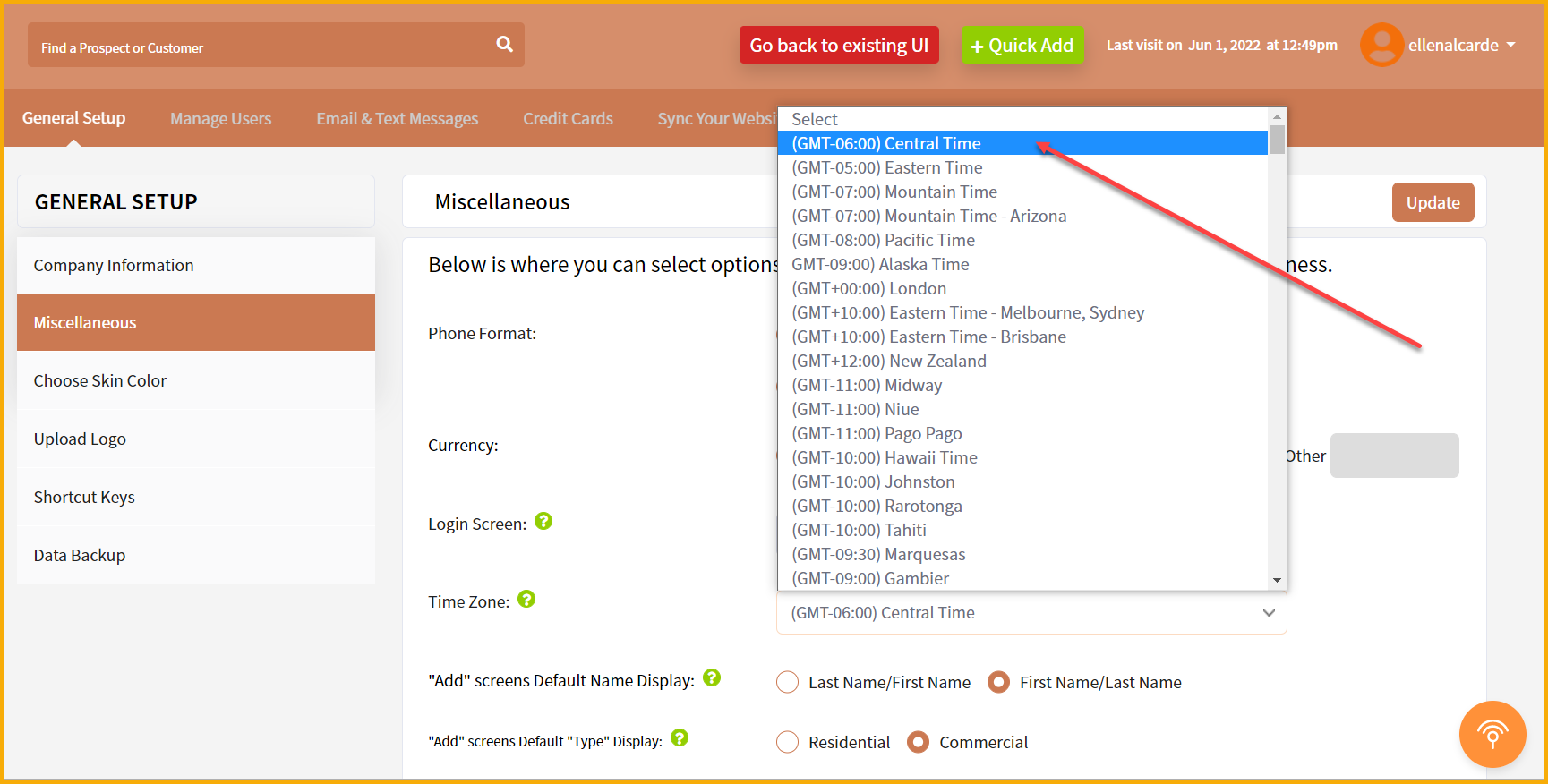
Once you selected your correct time zone, scroll down and click the "Update" button.
Best regards,
