
Balance Forward/Total Owed on Invoices
You can display Balance Forward or Total Owed information on all (or selected) printed invoices generated within The Customer Factor.
This feature helps you and your customers keep track of outstanding balances directly on their invoices, providing a clear picture of account status.
This option is available on the Invoice Format screen.
To access it, click “Format” under the “Invoices” tab in the main menu.
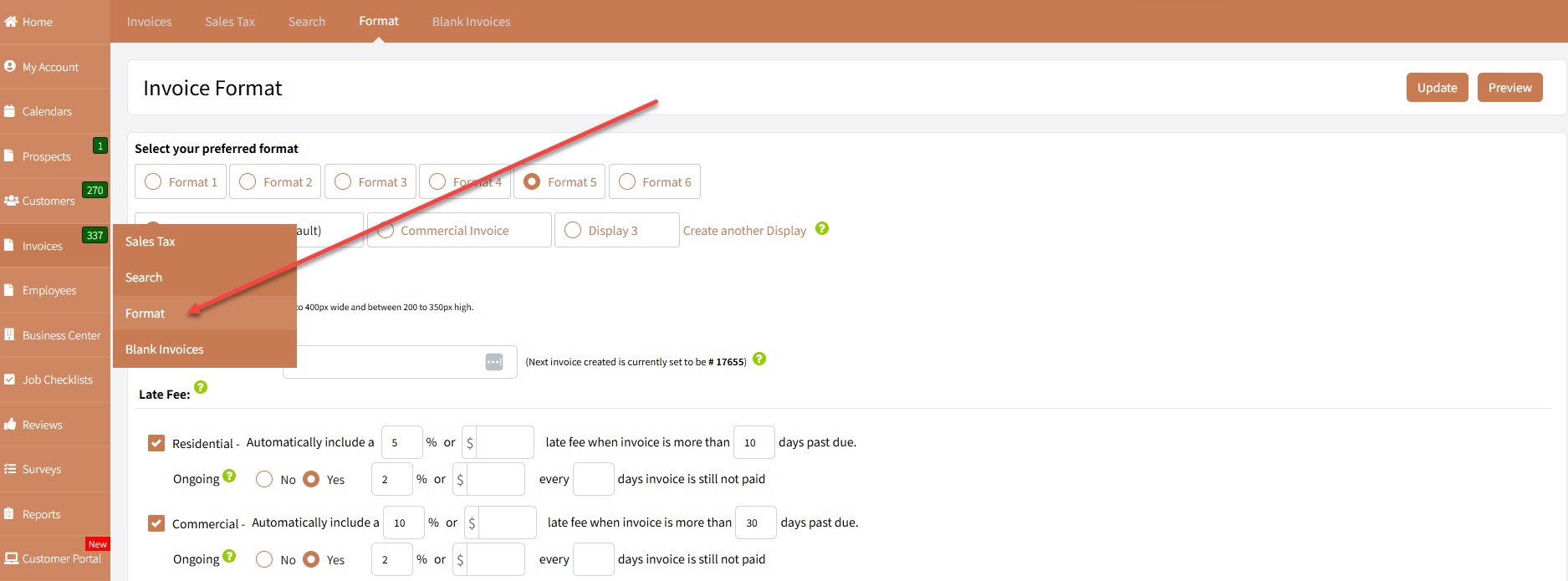
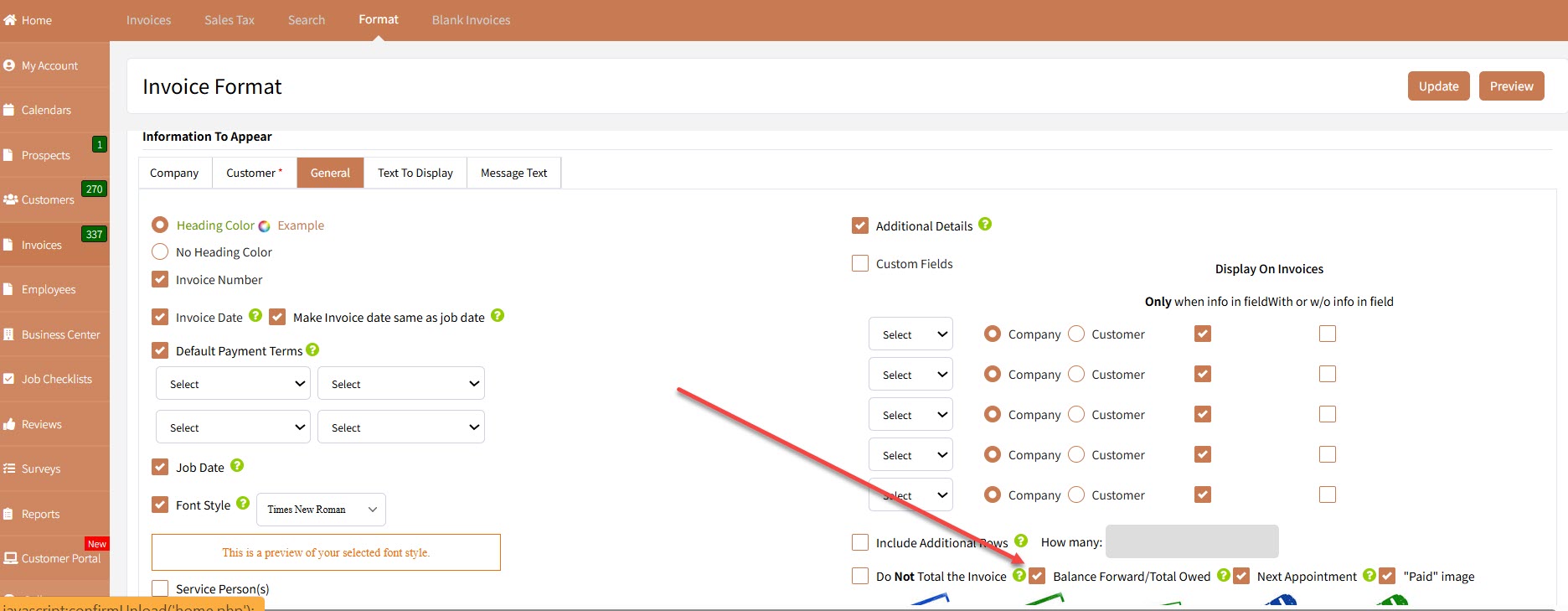
Once you’re on the Invoice Format screen, scroll down further until you locate the Balance Forward/Total Owed setting.
You can enable this to have the balance information appear on printed invoices by clicking on the checkbox.
Displaying the balance forward or total owed information is especially useful for customers who routinely carry a balance with your business.
It provides a quick reference of their prior balance, new charges, and total amount due.
Here’s an example of how it appears on a printed invoice:
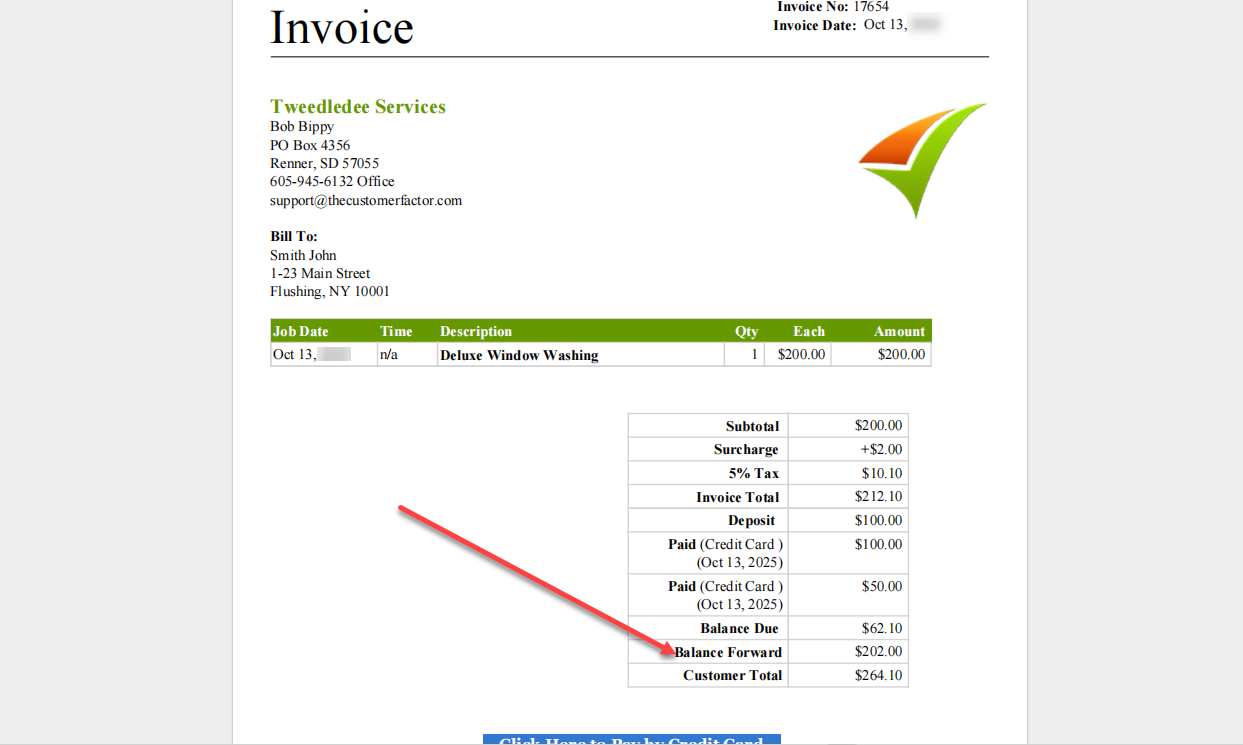
If a particular customer has no previous balance, the balance forward field will display “0”.
In this case, the Customer Total will be the same as the Invoice Total, reflecting that there are no outstanding amounts.
Based on user feedback, not all businesses want to show balance forward details for every customer.
To accommodate this, The Customer Factor includes a setting in each Customer Profile Screen allowing you to exclude balance forward information for specific customers.
You can find this setting here:
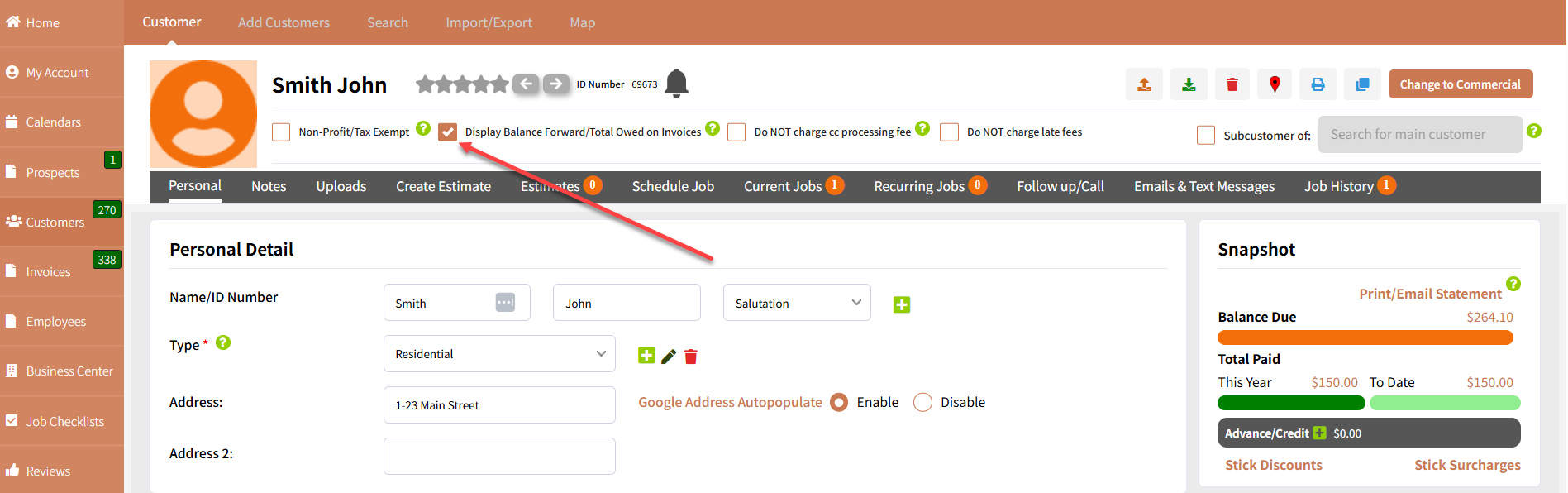
If you haven’t enabled the “Balance Forward/Total Owed” option on the Invoice Format screen, the customer-level “Display” option will not appear.
This customer-level checkbox will only display if the feature is turned on globally — and it will be checked by default, assuming you want it to show for all invoices.
However, if you prefer not to print balance forward information for a specific customer, simply uncheck that box in their profile, click “Update”, and you’re done.
With these settings, you can easily customize invoice visibility to suit your customer relationships — maintaining clarity and flexibility for both you and your clients.
Til Next Time!
